Prepare a reviewed estimate
Capture contacts, dates, route stops and access requirements. Add a survey or room scan, review inventory and packing, then price the services using your company’s rates.
See the moving estimate workflow →
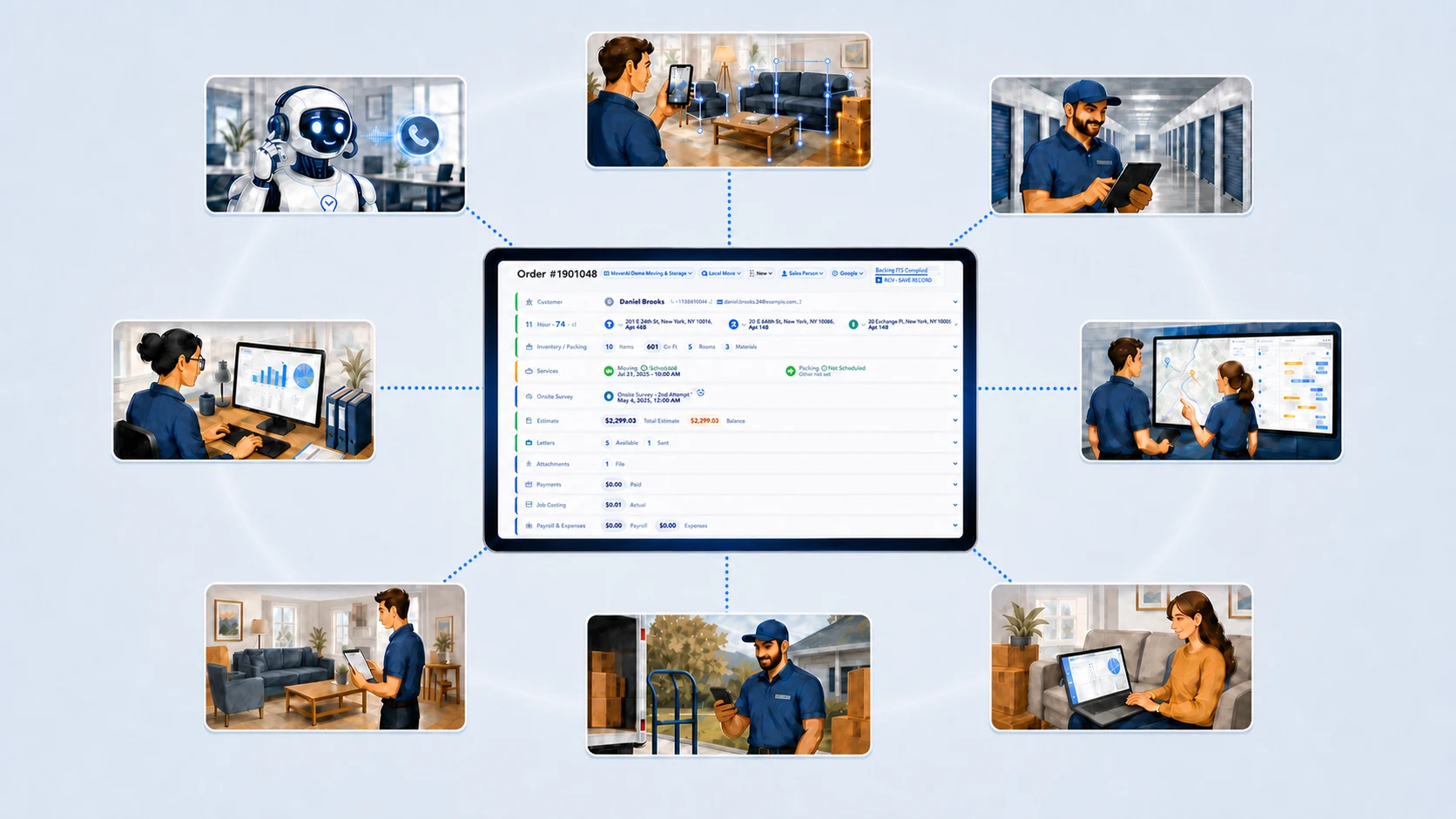
Keep an AI on every move.
Manage estimates, CRM, dispatch, field operations, inventory, storage, communications and payments in one connected moving-company platform. AI helps prepare the details; your team reviews pricing, assignments and customer commitments.
Watch the introduction · 1 min 44 sec
 AI Phone Assistant
One operating system for every part of the move
From inquiry to completed move
Capture contacts, dates, route stops and access requirements. Add a survey or room scan, review inventory and packing, then price the services using your company’s rates.
See the moving estimate workflow →Book services with their dates, inventory and resource needs. Assign crews and trucks, then keep field notes, actual work and completion records connected to the office order.
Explore moving dispatch and scheduling →Keep warehouse custody and move-outs connected to the customer. Review documents, payments, actual charges and exceptions before closing the job.
Connect moving and storage operations →Planning an office relocation? See how commercial services, sites and crews stay together. For room capture, review how AI inventory becomes an estimate input. Package availability and configured integrations depend on your company setup; AI drafts do not replace staff approval.
One move. Every workflow.
Follow a move from the first opportunity through estimating, inventory, dispatch, and storage.
Sales
Keep the customer, route, conversations, survey, and next action together from the first call. Your sales team sees what is ready, what needs attention, and where every opportunity stands.
Fewer missed follow-ups. More moves ready to estimate.Explore Sales →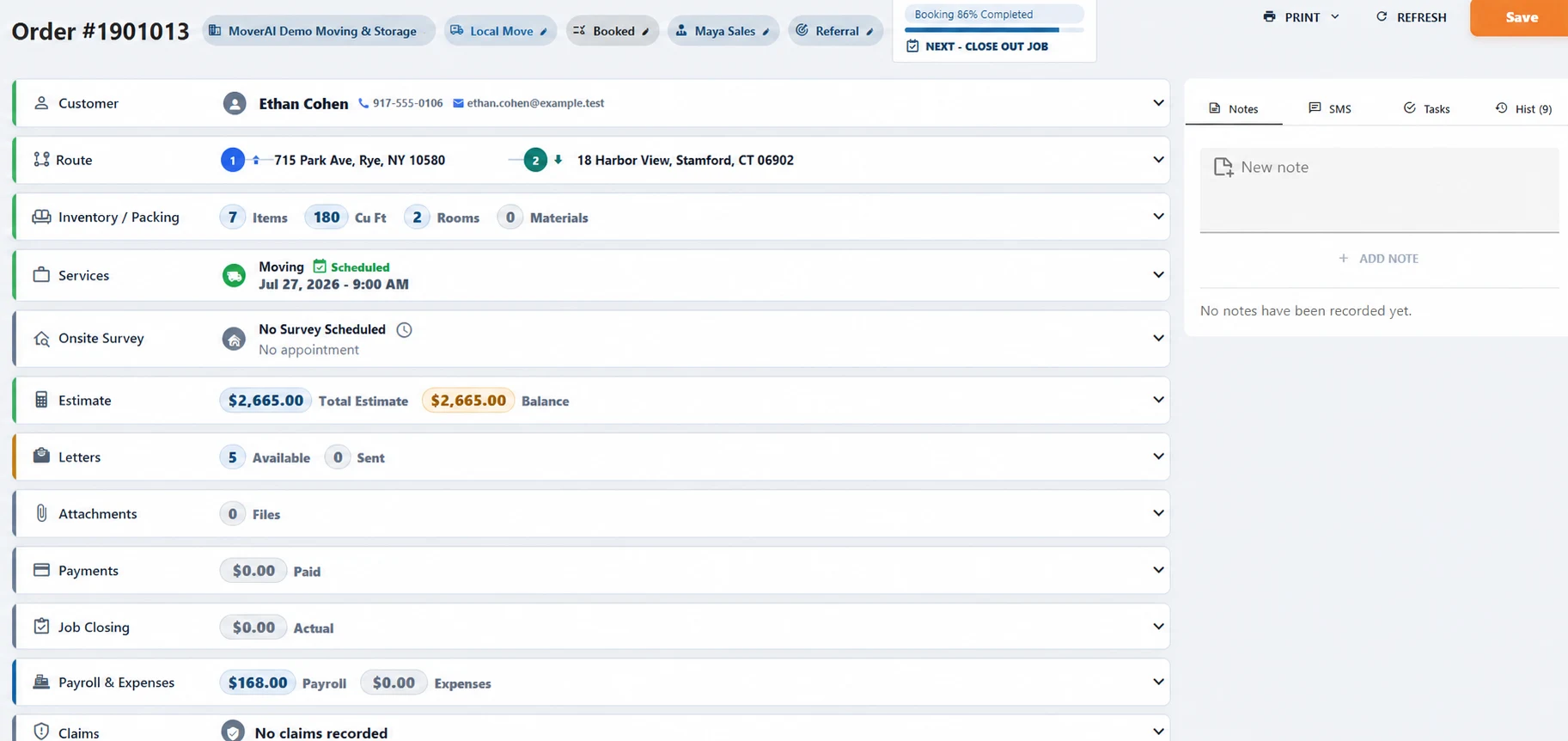
Estimating
Inventory, volume, services, packing, access details, charges, and documents stay connected. Estimators can review the complete move and prepare accurate pricing while the conversation is still fresh.
Faster estimates with fewer missing details.Explore Estimating →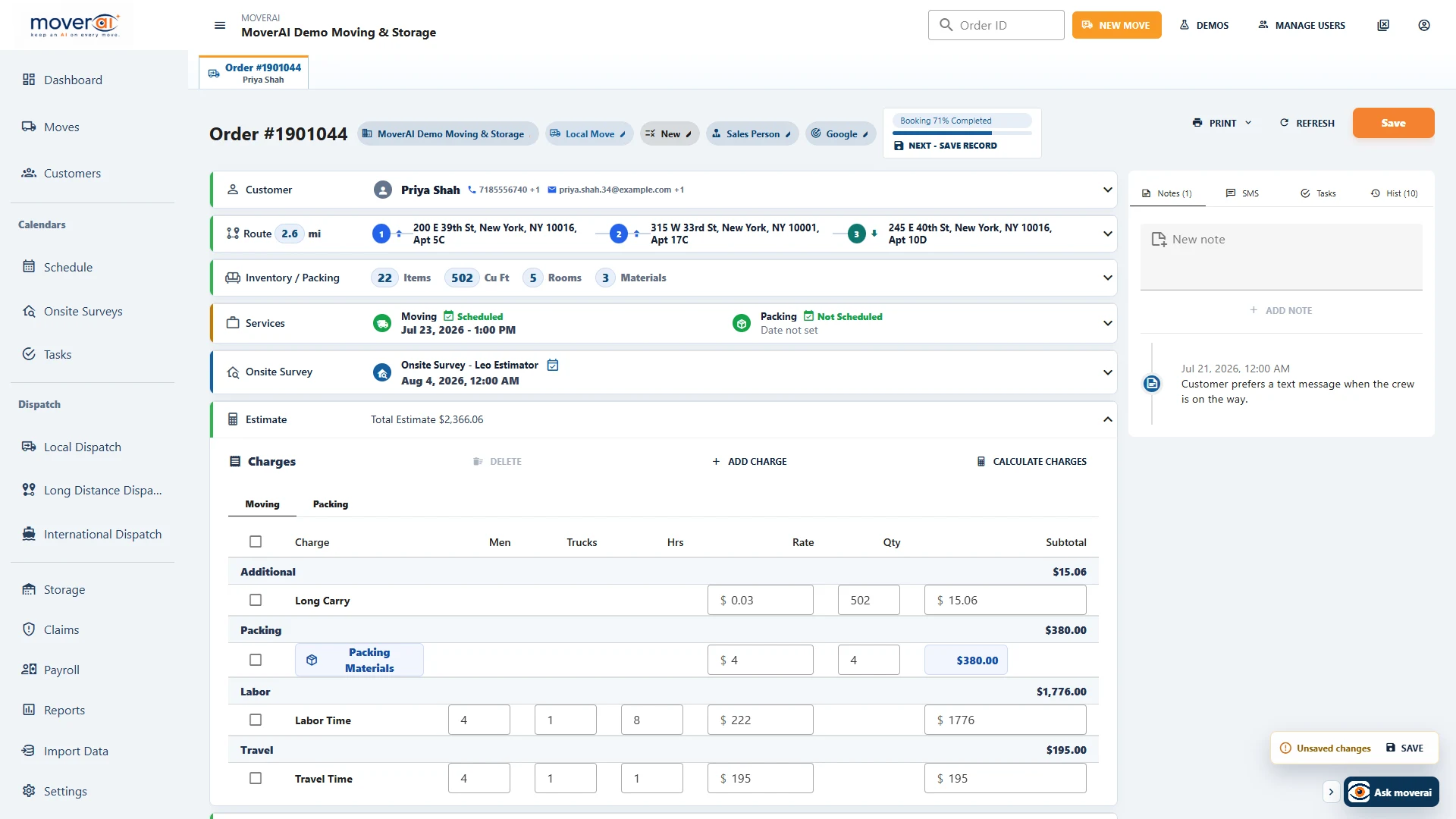
AI Inventory
A customer can scan from home, or an estimator can scan onsite. Moverai identifies the items, counts quantities, estimates volume, and returns an editable inventory your team can review before pricing.
A usable inventory without writing down every item.Explore AI Inventory →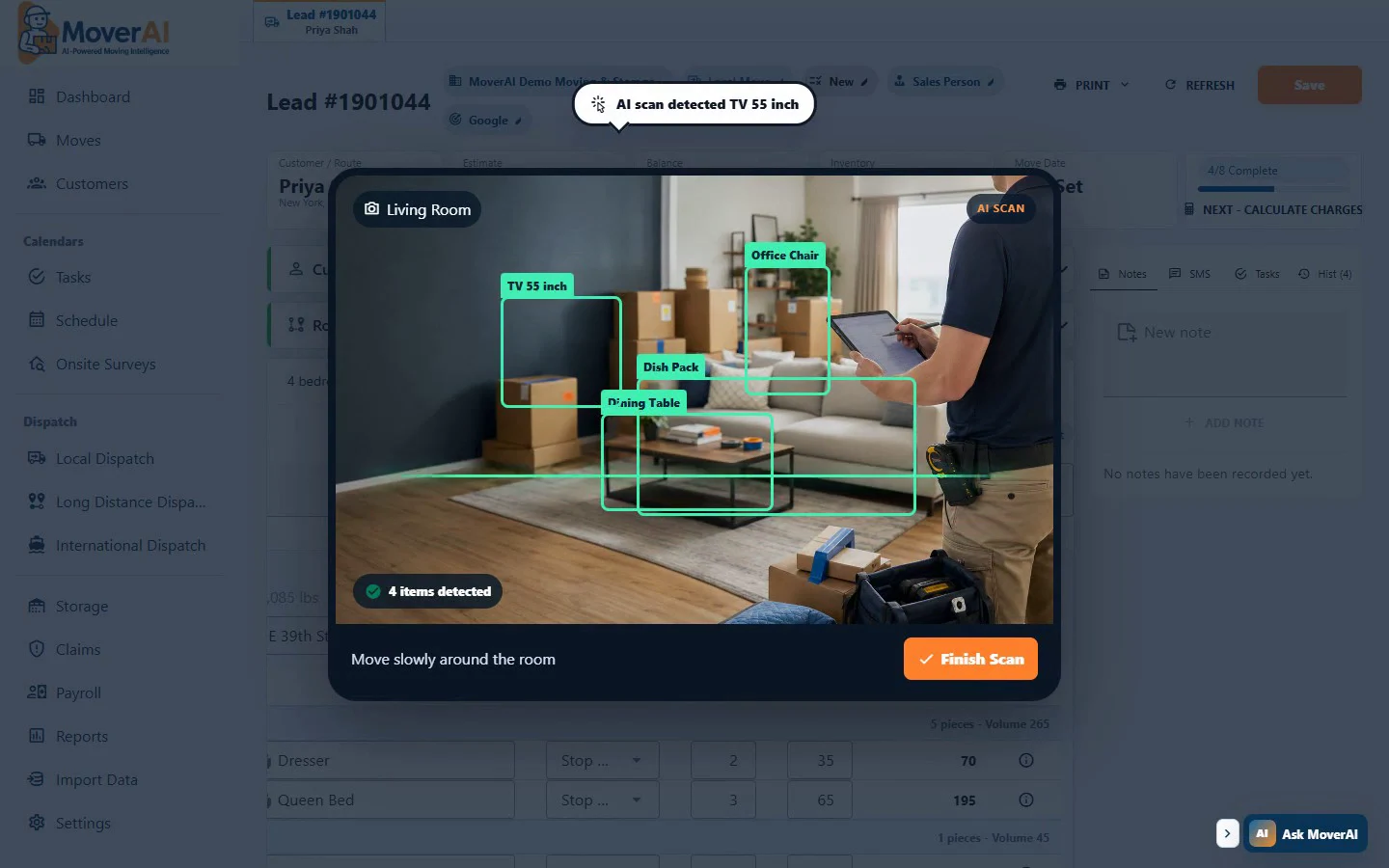
Dispatch
Plan local work, long-distance legs, pickups, deliveries, warehouse stops, and crew assignments from focused dispatch boards. Everyone works from the same move details.
Clear assignments and fewer last-minute surprises.Explore Dispatch →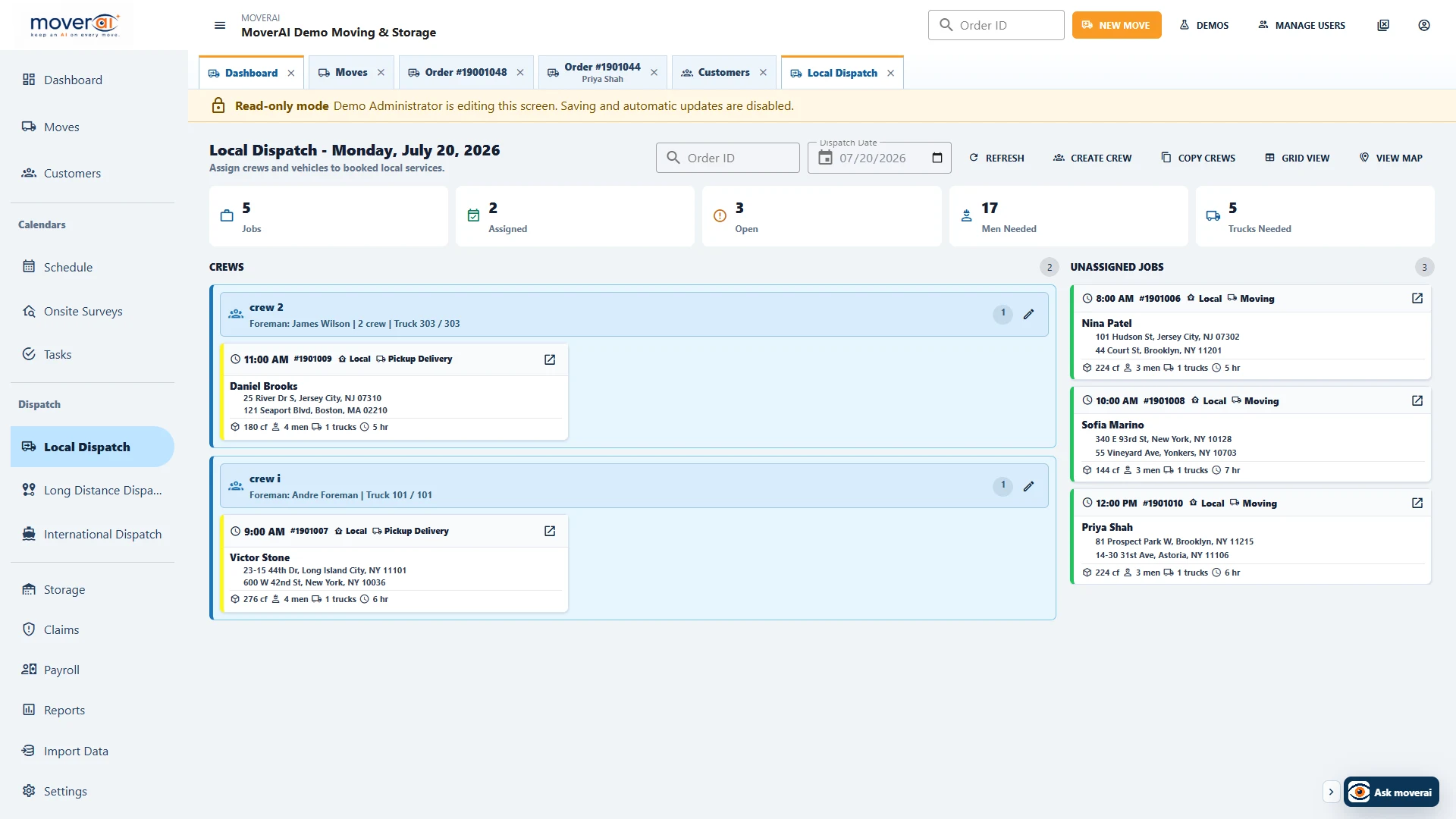
Storage
Manage warehouse space, stored inventory, recurring charges, payments, and move-outs without creating a separate customer record or disconnected workflow.
One history from move-in through final move-out.Explore Storage →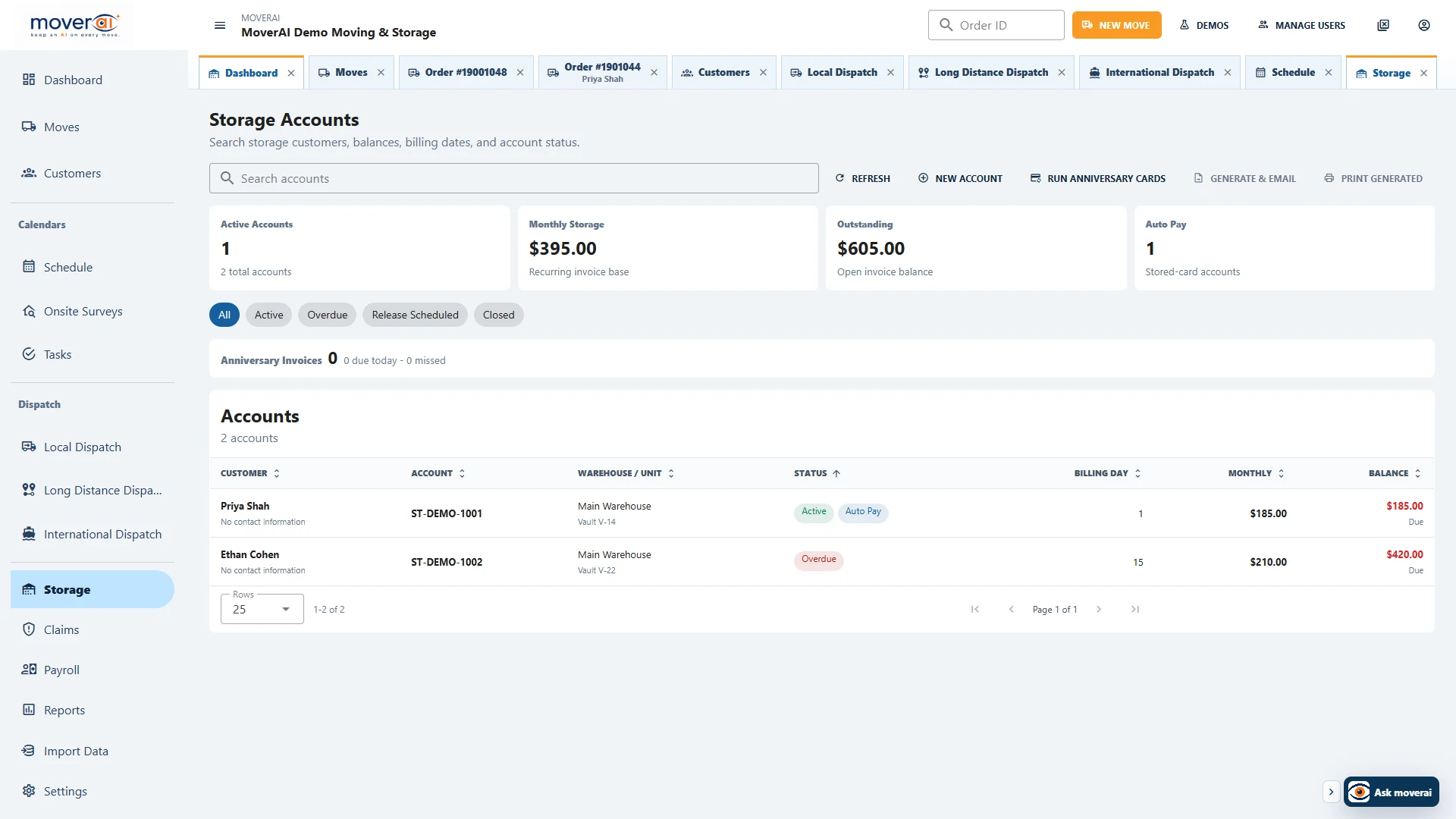
The work behind every move
Customers call for updates your team already entered somewhere else.
Inventory, photos, pricing, and documents get rebuilt by hand.
Crews, trucks, stops, warehouses, and handoffs are hard to see together.
Leads, balances, tasks, and customer requests wait for someone to notice.
Moverai turns that work into a connected workflow. AI prepares the details. Your people make the decisions.
AI Inventory Vision
Use AI Inventory Vision from a phone. Moverai analyzes captured room views, identifies visible household items, removes repeat detections, and prepares quantities, dimensions, volume, weight, and handling details for review.
Nothing is recorded or saved to Moverai in the public demo.
Why Moverai
Moverai uses AI to handle the operational details, giving your team more time to book jobs, serve customers, and grow.
Room inventory, services, charges, packing, volume, weight, and documents stay together instead of being re-entered later.
Assign pickup, warehouse, linehaul, shuttle, and delivery work to the right crew, truck, agent, carrier, vendor, or warehouse.
Customers can manage move details, addresses, inventory, storage, invoices, payments, documents, and requests from their portal.
Describe the report in plain language, then review its source, columns, filters, groups, summaries, and output.
Moverai assistant
Ask a practical question from anywhere in the office application. Moverai understands the moving workflow, explains the next steps, and points your team to the right workspace.
Open Long Distance Dispatch, choose the route leg, then assign the agent, carrier, or driver. I can take you there.
Moving company software
From first lead to final balance, Moverai gives each role the tools it needs without creating another version of the order.
Keep the customer, survey, estimate, communication, and booked order together.
Explore Moving CRM →⌁Price from items, volume, weight, services, materials, and company rules.
Explore estimating software →⌘See crews, trucks, dates, stops, route legs, and unassigned work on focused boards.
Explore dispatch software →◎Let customers manage moves, inventory, storage, invoices, payments, and requests.
Explore the customer portal →▦Connect warehouse space, stored inventory, billing, cards, payments, and move-outs.
Explore storage management →≡Manage documents, signatures, claims, payroll, permissions, and AI-built reports.
Explore reports and analytics →Operational impact
Moverai reduces the repeated setup and searching behind a move, so your team can spend more time booking, planning, serving customers, and closing jobs.
Not another moving CRM
Frequently asked questions
See how Moverai fits your current operation, team, and data.
The future of moving operations
See how Moverai can fit your sales, estimating, dispatch, storage, customer, and back-office workflows.